
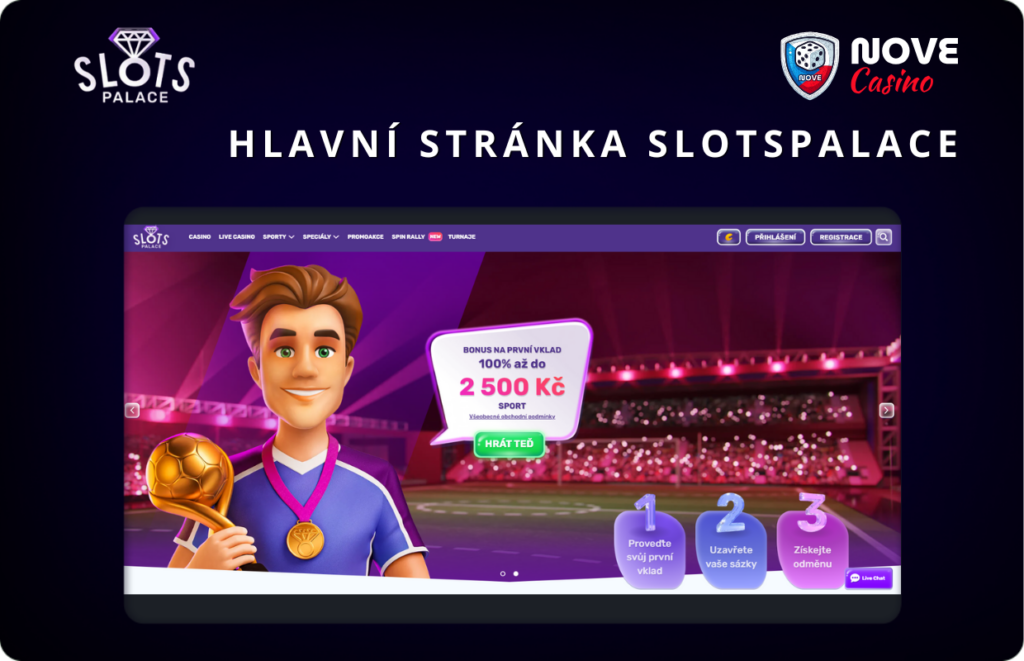
I realize signing up for a new online casino account can be a chore, but at SlotsPalace Casino I’ve ensured the process as easy as possible while staying fully compliant with UK regulations https://slotpalaces.gr/en-gb/login. If you’re a absolute beginner or switching from another site, knowing exactly what information you’ll need and what checks are performed can save you time delays. Here, I’ll guide you through each stage: the registration form fields, document uploads, login security, and the common stumbling blocks.
How to Reset a Lost Password or Get Back into Your Account
If you forget your password, stay calm. On the sign-in page I’ve got a clear ‘Forgot password?’ link. Select it and you will reach a page where I ask for the email tied to your account. The system then sends a password reset email with a time-limited link. You must click that link and set a new password that meets my security rules. The entire process usually takes under two minutes.
Keep in mind: typing the wrong password multiple times will temporarily freeze your account for safety. The block usually lasts 30 minutes, and then you can attempt again. If the reset email doesn’t appear, first look in your spam folder and make sure you typed the exact email you used at registration. If the issue remains, you must contact my support team with identification proof to regain access.
If you can no longer access your registered email, phone verification is your saving grace. I can authenticate your identity through an SMS code and then assist in updating your email after a couple of extra security questions. This may require a short call or a video check so I can be sure I am dealing with the rightful account holder. It’s a bit more hassle, but it ensures your funds and data remain secure.
Resolving Registration Issues
Even with a basic form, a few hitches can arise. One common error is ‘email already in use’. That signals there’s already an account connected to that address, maybe because you created an account ages ago and overlooked. I can assist you recover that existing account instead of making a duplicate. Get in touch my support team, and they’ll explain the process after a quick check.
Another frequent headache is an address mismatch. If the postcode you input doesn’t correspond to the Royal Mail database, my system will mark it straight away. Double-check the address and use the format you spot on a recent utility bill. Similarly, date of birth mistakes can scupper age verification. Ensure the year is right, because even one digit out causes an automated block that needs a manual document review.
Sometimes tech glitches on your end can mess up sign-up. If the verification email link fails to open or the SMS code field won’t take the code, try clearing your browser cache, turning off overzealous security extensions, or switching to a different browser. An outdated mobile number or an email that rejects automated messages is another frequent issue I see. Always check that you can actually receive messages before you start registration.
Account Protection Post Sign-Up – My Advice
After your account is set up, I’d advise reviewing your security settings straight away. Change your password periodically and under no circumstances share it. I will never ask for your password by email or phone, so any request doing that is a scam. You should also establish deposit limits and session reminders through the responsible gambling tools – I’m pleased to offer these as part of my commitment to safer play for UK customers.
I’d thestar.com also advise monitoring your transaction history and login activity. Your account dashboard lists the last few login timestamps and IP locations. If something appears suspicious, reset your password straight away and contact support. Using a separate email address exclusively for your casino account, away from your everyday inbox, is another simple step that can cut down your exposure to phishing attempts.
For those looking for top-notch protection, check whether the platform offers login notifications or biometric logins on the mobile app. While I keep enhancing my security systems, your habits are the first line of defence. Don’t save passwords in browser auto-fill on shared computers, and constantly lock your phone with a PIN or fingerprint. These habits make it very hard for anyone else to log in without your say-so.
The KYC Process – Identity Document Checks for Players from the UK
British gambling regulations mean I need to verify your identity prior to you being able to deposit or withdraw any significant amounts. The KYC process requires uploading sharp photos or scans of certain documents. I’d strongly suggest doing this right after registration – this way you prevent hold-ups later when you ask for a payout. The document upload system is encrypted and accepts common file types like JPG, PNG, and PDF.
For identity verification, acceptable documents are a valid passport, a complete UK driving licence, or a national identity card. The image should clearly show your full name, photo, and date of birth without any issues. For address verification, I need a utility bill, council tax bill, or bank statement from the past three months with your name and home address.
Based on your deposit patterns, I may also request a source of funds check. This could entail providing a recent wage slip, a tax return, or a bank statement that shows your income. I manage these requests confidentially. Most checks are processed in a few hours, though during high-traffic periods it can take up to 48 hours. I’ll email you once your documents are verified or if I require any further information.
Validating Your Email Address and Phone Number
Right after you send the form, I fire off an automated email to the address you gave. That email contains a one-off confirmation link active for a limited window, normally 24 hours. You need to click that link to activate your account before you can log in or deposit. If the email isn’t visible in your inbox, check spam or junk and add my sender address to your safe list.
Once your email is confirmed, I’ll initiate SMS verification for your mobile. I send a one-time passcode to the phone number on file. You’ll have to enter that code on the verification screen within a few minutes. If it expires, you can ask for a new one. Having both email and phone verified provides you with an extra recovery option down the road, and it’s a must before I can approve your first withdrawal.
Some players wonder why I require both email and mobile confirmation. Beyond security, it’s a regulatory requirement that enables me prove you’re a real person in control of those contact methods. The dual verification also expedites password recovery massively. If you ever lose access to your email, a verified mobile number still lets you get back into your account securely.
Filling Out the Registration Form – Each Field Explained
The registration form at SlotsPalace Casino requests only the essentials, but each field serves a legal or security reason. Kick off with an email address you check often – I’ll utilize it for the confirmation link, account updates, and password resets. Verify for typos, because an incorrect email will block you from completing verification later.
After that, I ask for your full legal name, exactly as it appears on your official ID. Using a nickname or shortened version will cause a mismatch during the document review. I also require your date of birth and gender, both must align with your identification. Then you choose a username you’re comfortable with, but steer clear of anything offensive – I refuse inappropriate choices.
Your home address must be spot-on. I need the house number, street name, town, and postcode exactly as they show on official post. This address is crucial for the later proof of address checks, so employ your residential address – not a workplace or temporary mailing address. I’ll also require a UK mobile number. I’ll transmit a verification code by SMS to that number, so it has to be a handset you control and can reach straight away.

The last part of the initial form is choosing your account currency and establishing a strong password. For UK players, GBP is the default, and I recommend using it to avoid conversion fee. You’ll also need to accept my terms and conditions and confirm you’re over 18. I’d suggest reading the privacy policy before checking the box because it clarifies how I handle your personal data.
Who Can Register – Requirements for Eligibility and Location
As soon as you land on the SlotsPalace Casino sign-up page, the first thing I need you to confirm is that you satisfy the basic eligibility rules. UK law requires all players must be at least 18 years old. During registration I’ll ask for your date of birth and run an electronic age verification check against public databases right away. If that check needs more confirmation, I may ask for a copy of your ID later.
You are required to be physically inside the United Kingdom when you create your account and whenever you play. I use geolocation technology to confirm your position at login. Registering while abroad can lead to an instant block, so hold off until you return on home soil. Keep in mind you need to be the only owner of the account; duplicate accounts are prohibited and will lead to all related profiles being suspended.
Self-exclusion is a crucial aspect. If you’ve previously enrolled in GAMSTOP or a similar self-exclusion scheme, I’m legally required to prevent you from creating a new account during the exclusion period. My system cross-checks GAMSTOP’s database automatically when you submit your details. I recommend anyone who’s unsure about their status to check their GAMSTOP registration before trying to sign up – that eliminates unnecessary frustration.
Sign-In Info and Additional Protection
When you return to the SlotsPalace Casino login page, I’ll ask for your registered email or username and the password you set up. I always advise you to use a strong password that you don’t repeat elsewhere. A secure password includes upper- and lower-case letters, numbers, and symbols. My system has a required length, but I suggest at least twelve characters for improved resistance to brute-force attacks.
After signing in, you may see a ‘Remember me’ checkbox. This keeps your username on the device but never stores your password in plain text. I recommend using it only on your own personal computer or phone, not on public or public devices. On those, always log out manually and shut the browser when you’re done.
I also urge switching on two-factor authentication if it’s offered in your account settings. With 2FA, you’ll need a temporary code from an authenticator app such as Google Authenticator each time you log in. That adds a critical second layer even if someone gets hold of your password. Typically you set it up by scanning a QR code and confirming a test code, and I’m always improving the security options for UK players.
Advancing – Verifying Payment Methods and Adjusting Limits

Before you can deposit funds your account, you’ll be required to attach a payment method. For UK players, I take debit cards, e-wallets, and bank transfers. Credit cards are prohibited for UK gambling, so I don’t accept them. When you link a card or e-wallet, I confirm that you’re the named account holder. I may ask for a photo of the card with the middle digits covered for security.
I urge you set personal deposit limits before you start playing. I offer daily, weekly, and monthly caps, as stipulated by UK rules. You can modify these in your account settings. Cutting limits becomes active straight away, while increasing them has a 24-hour cooling-off window. I’d also suggest turning on a reality check timer to remind you the amount of time you’ve been playing.
Once your payment method is verified and your limits are set, your account is genuinely ready to go. I could still perform periodic source of funds checks, especially if your deposits increase sharply, so maintaining financial documents nearby is smart. Your verification status always shows in your account dashboard, and you can attach any missing documents there. That transparency stops nasty surprises when you ask for a withdrawal.
Getting going at SlotsPalace Casino comes down to having the right documents ready, taking registration step by step, and heeding the security prompts I give you. I designed the sign-up process to be simple, but I realize questions can still arise. If you ever get stuck, my support team is on hand to help you resolve whatever’s blocking you. Take five minutes now to grab your photo ID and a recent utility statement, then navigate to the registration page and dive in. Once you’re through, a full library of games becomes available, and you’ll have all the tools to remain in charge.